Make the art
Create the Black Egg cover and the artwork revealed at hatching. Decide which rights the holder receives.
PUBLIC COMMUNITY CHAT · Everyone can read these messages
Message a badge holder here, tag someone or reply in the same shared conversation. Posts remain saved when you leave and return.
Read the public room, or verify your badge wallet to post.
New posts are public, including messages tagging another member. Earlier private inbox messages are not included. Signing in is free and does not move funds.
UNCLE NFT / BLACK SALT ARCADE
A home for the arcade’s NFT collection, token staking and mystery artwork. Start with Black Eggs. Build the incubator together.
Wallet connection, public community chat and NFT drafts are available. Minting, deposits and token claims are not enabled. The film illustrates the proposed incubation process.
01 / BLACK EGG INCUBATOR

Every Black Egg begins sealed. The proposed incubator turns waiting into a reveal, with custom artwork and an arcade token family attached to what emerges.
Own a verified Black Egg NFT before entering the incubator. The artwork inside remains a mystery.
Approve the disclosed stake and let the incubation period run. Your NFT’s identity and receipt connect the stages.
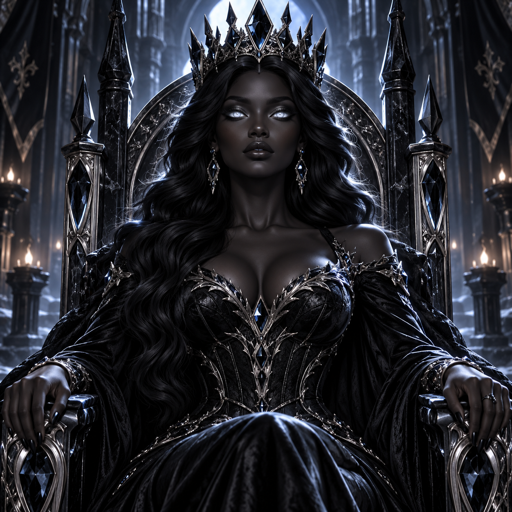
The shell opens to reveal a custom vixen or another arcade artwork family, according to the final collection rules.
Eligible egg incubation is planned to earn SIT from a funded pool. Artwork reveals are separate from rewards. No incubation reward system is live yet.
The film’s Day 1 example of 0.5 tokens is illustrative. No live earnings schedule, mint or staking pool is enabled.
YOUR WALLET / YOUR COLLECTION
Connect your Solana wallet to show its public address. Your wallet remains under your control.
Phantom, Trust Wallet, Solflare or WalletConnect
Waiting for a wallet
On a phone, open this site inside your Solana wallet’s browser if no wallet appears. Connecting does not verify NFT ownership, move funds or enable staking.
Collection verification and NFT inventory are coming after the first collection is minted.
PLAY HOLD / NFT MARKETPLACE PORTAL
Play Hold is where we plan to offer our stackable Black Egg NFTs. This portal takes you there to set up your account. You do not need a Play Hold connection in the arcade or incubator.
Our egg listings, ownership verification and incubation are coming soon. A marketplace purchase does not yet activate staking here.
Return to member messagesSIGIL CAPTURES / THE INITIATE
Uncle NFT made this collection by tapping the arcade sigil, saving screenshots of its changing scenes and giving those captures to the Queen as visual references. The Queen transformed them into four playing card designs on one page.
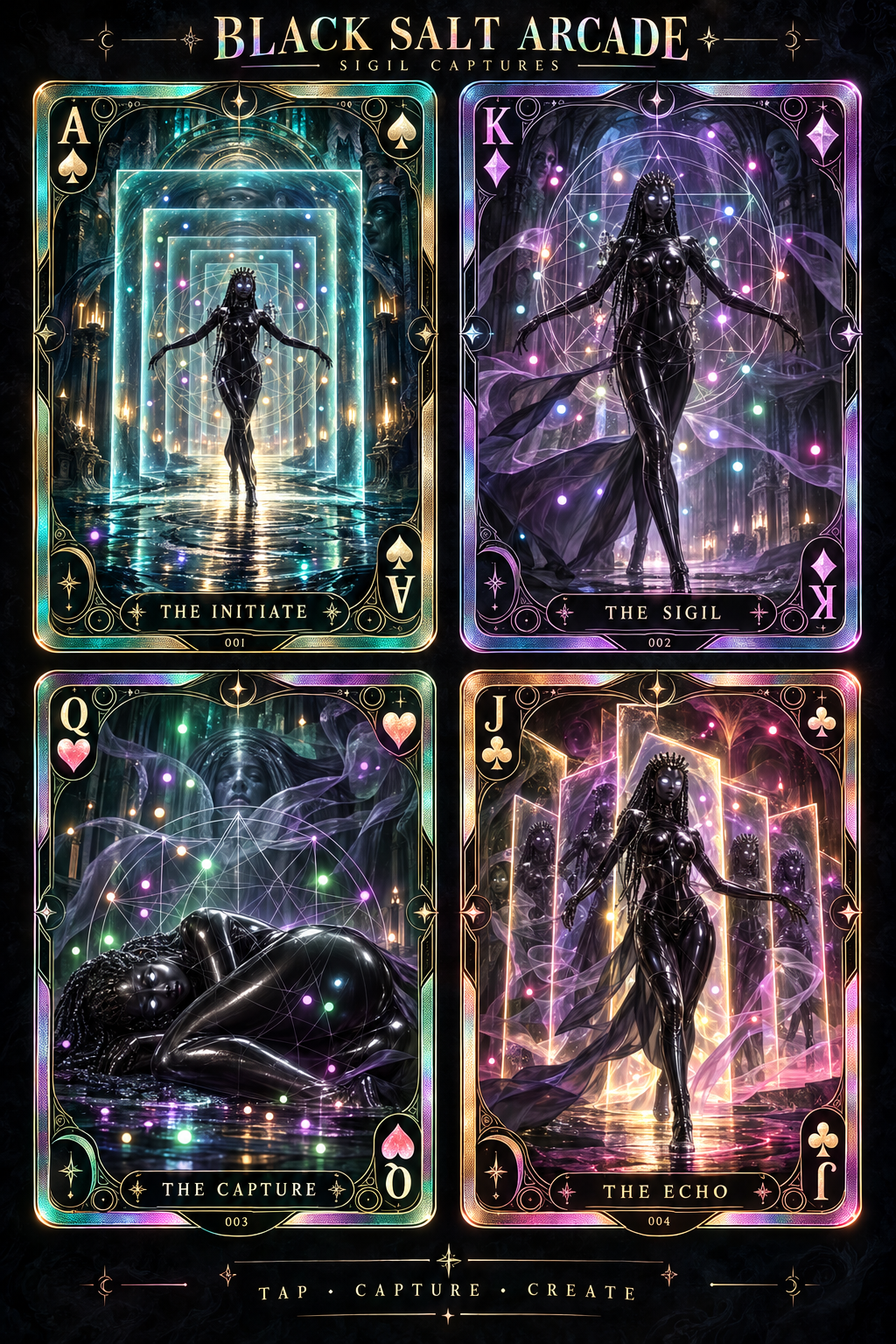
The portal is the Initiate. Your screenshot is the starting reference. Your title, idea and captured sigil make the next creation yours.
ENTER THE CAPTURE STUDIO ↓Only successfully generated incubator creations with verified BLOOD payment qualify for the creation call out task. Posting alone does not guarantee a funded reward. Artwork becomes an NFT only after a confirmed mint.
Open the connected studio to use the exact arcade sigil, verify your wallet, quote about $5 in BLOOD, generate your card and view the shared creation feed.
OPEN SIGIL CAPTURE WORKBENCH ↗Use the full studio in your wallet browser for wallet approval. The community feed below refreshes every 15 seconds.
03 / OUR OWN CREATION STUDIO
Describe your idea to Queen Black Salt. Create your image in her studio, then return here with the final artwork URL to prepare its identity.
The Queen uses your arcade credits. Image creation costs 5 text credits when exchanging credits. Buy more through her existing wallet checkout when your balance runs out. Metadata preparation here is free.
The Black Salt Bank can become our own minting home. We control the artwork, collection rules and experience. Our proposed foundation is Metaplex Core on Solana, an existing NFT standard we can use through our own code rather than a marketplace’s creation website.
Create the Black Egg cover and the artwork revealed at hatching. Decide which rights the holder receives.
Give each NFT a name, description, image and traits. These details become its metadata.
Upload the art and metadata to durable public storage. Save the metadata URL used by the mint.
Set up the collection account and authority. Decide who can change the artwork before making sales.
A future mint screen will show the network, recipient and costs before requesting approval. Confirm the transaction and new asset on Solana.
Minting does not create staking or rewards. Those require a separate tested system with published rules.
Technical sources checked October 8, 2026. We still use Solana, wallet software, an NFT standard and file storage. Building our own interface does not remove those dependencies.
PREPARE THE FIRST BLACK EGG
First, create your artwork. Then tell me its name, description, creator wallet, holder rights and traits.
Complete the fields to preview your NFT metadata
Your draft is saved in this browser. Download the JSON, publish the artwork and JSON to permanent public storage, then use the official mint guide. You will need the metadata URL and a wallet with SOL for network and mint costs. This screen prepares metadata; it does not mint an NFT.
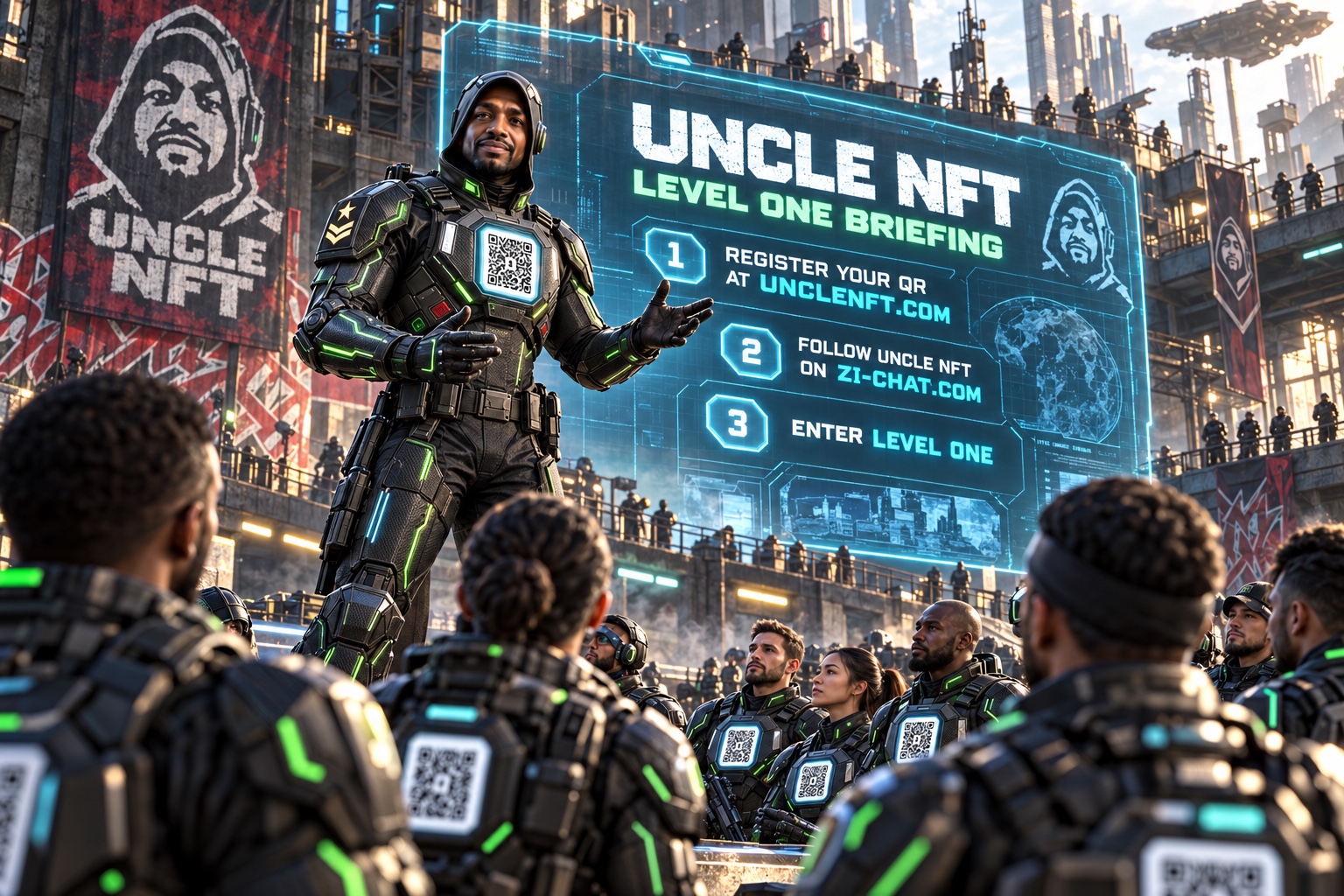
UNCLE NFT / CREATOR BRIEFING
First we create a real collection and confirm who owns each asset. Then we test the incubation, reveal and any funded rewards. A striking picture starts the story. A confirmed mint establishes the collectible.
Our bank is the home for learning and building that system. Mint price, supply, hatch timing and reward rules will be published before launch.
04 / THE SYSTEM BLUEPRINT
Create a verified Solana collection with unique IDs, mystery metadata and disclosed edition size. Purchase places the NFT in the buyer’s wallet.
Verify ownership and collection. Show the duration, permissions and withdrawal rules before approval. Use a reviewed NFT lock or escrow program, never the arcade payment wallet.
Record wallet, NFT ID, start time, unlock time and hatch status. Keep each egg’s verified staking receipt separate from arcade BLOOD activity records.
After maturity, use verifiable randomness and a published rarity table to select approved custom art. Proposed model: the same NFT ID evolves once from egg to artwork, preventing duplicate hatches.
All eligible incubation rewards are planned in SIT. Different hatch families change the artwork, not the reward asset. Publish durations, funded rates and withdrawal rules before staking opens.
Read rewards from the funded pool, approve a claim and record its transaction. Prevent repeat claims. Release the NFT or deposited tokens according to the stated withdrawal rules.
05 / REWARD ACCOUNTING
Proposed SIT incubation calculation:
Count only verified staked Black Eggs and eligible incubation time. Stop accrual after withdrawal and cap SIT emissions to the funded pool. Rates and weights must be published before launch.
BLOOD belongs to verified arcade activity. SIT belongs to future funded Black Egg incubation. Staking and SIT claims remain disabled until ownership, custody, funding and time accrual are tested.
06 / DECISIONS BEFORE BUILD
07 / BUILD ORDER
Prepare artwork and metadata for our own collection.
Test mint, lock, reveal, claims and withdrawal with test assets.
Review program security, randomness, reward funding and terms before a limited live launch.
October 8, 2026 · Version 145 · Build together
Created by Uncle NFT. A community for more developers and more thinkers. This is the documentation checkpoint label; saved publication numbers are tracked separately.
Payment milestone: Uncle NFT confirmed receiving the $20 in Queen Black Salt’s wallet on October 8. This is an owner reported receipt; no transaction signature was provided here for independent chain verification.
Build your own version Start with the audience and a small playable prototype. Separate identity, payment receipts, progress, credits and media access. Keep receiving addresses and rules in explicit configuration. Never copy private member records or secrets. Test wrong amounts, wrong recipients, pending payments, repeated receipts and returning members before release. Use your own licensed artwork, wallets and credentials. Save source and database migration history before every release; restoring code alone does not restore member data.
Version 145 verification 29 of 34 Arcade automated suites passed, including wallet connection, signed login, entry payment checks, recovery, credits, consultations, NFT drafts and Chapters 8 through 10. Office account, payment, upload and privacy checks passed. Five existing Arcade suites need test maintenance: mission progress, clean Arcade, trial, companion UI and image replies. Failures include incomplete browser mocks and expectations that differ from current free trial and image allowances; these checks are not marked passed. Live database overviews were readable. Recent Office logs had no errors; Arcade logs showed unauthenticated restore requests returning 401 and a canceled favicon request, with no worker exception in the returned sample. Actual device playback and new live AI deliveries still need human verification.
Checkpoint policy Freeze the working behavior at this point. Future edits should state what changes and repeat the relevant checks. This dropdown records the work; it does not lock accounts, stop services or perform a rollback.
Wallet connection, artwork handoff to the Queen, saved metadata drafts and public BOFE portal. Uploading files and the blockchain mint remain manual; staking and funded rewards are proposed.
October 8, 2026 · Shared ecosystem checkpoint
These menus document published features and checkpoints. They do not restore a version, confirm a transfer, change wallet approvals or award a chapter. Payment and wallet checks use simulated transactions; actual transfers still require wallet approval and chain confirmation.
Data footprint This page’s current published asset folder contains approximately 6.4 MiB before transfer compression. Files load as requested; this is not a per visit download total. Total historical AI data usage was not recorded. This text checkpoint adds no new media or network request.